> For the complete documentation index, see [llms.txt](https://docs.libertyswap.finance/llms.txt). Markdown versions of documentation pages are available by appending `.md` to page URLs; this page is available as [Markdown](https://docs.libertyswap.finance/how-to/get-started-on-pulsechain/buy-usdc-with-gbp-and-bridge-to-pulsechain.md). Agents can also search and read this documentation through its [MCP server](https://docs.libertyswap.finance/~gitbook/mcp).
# Buy USDC with GBP and Bridge to PulseChain
Using zkp2p.xyz and LibertySwap
> What is ZKP2P? ZKP2P is a peer to peer fiat on ramp and off ramp protocol that uses zero knowledge proofs to enable trustless exchanges between traditional payment methods and crypto assets. It allows users to move funds between Web2 payment apps and on chain assets without a centralized exchange acting as intermediary. ZKP2P is a third-party service with its own terms, and its availability depends on your jurisdiction. For more details, see the Fiat On and Off Ramp with Peer page in this documentation.
### Step 1: Buy USDC (Base) with GBP via zkp2p.xyz
1. Open the site on a desktop browser.
2. Select the “Buy” tab.
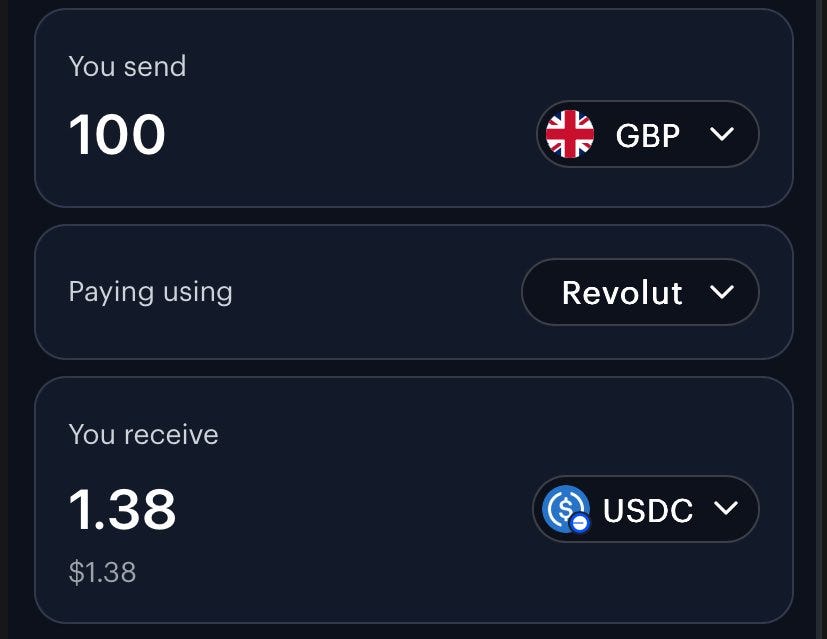
3. Input:
* Amount: e.g., 100 GBP
* Payment: Revolut
* Crypto: USDC
* Network: Base
4\. Click Log In, connect your wallet, and follow payment instructions.
5\. Send GBP via Revolut.
6\. USDC will arrive in your Base wallet.
### Step 2: Bridge USDC to PulseChain via Liberty Swap
1. Connect your wallet on Base.
2. Select USDC (Base) ➝ USDC (PulseChain) or PLS.
3. Enter the amount and click Swap / Bridge.
Liberty Swap handles gas fees and sends USDC straight to your PulseChain wallet.